Blog · inclusive fashion AI video
Inclusive Fashion Videos with AI: Casting Plus-Size, Mature, and Diverse Models Without a Studio
Most AI fashion video tools default to 25-year-old white female models. AmazVid rebuilt its Wearable gallery around plus-size, mature, and multi-ethnic casting — with a rebalanced category mix (apparel, footwear, eyewear) so every seller sees themselves.
Updated 2026-08-30 · 11 min read · AmazVid Editorial
Inclusive fashion AI video is a phrase most AI video tools cannot honestly claim. Scroll through any AI fashion try-on gallery and you will see the same face: 24-year-old, slim, usually white, always wearing something the algorithm was trained on. That gallery works for maybe 20% of fashion sellers. AmazVid rebuilt its Wearable templates to serve the other 80%.
This is a case study in fixing a demographic gap that came from training-data assumptions rather than product intent. It also happens to be a conversion story — showing "someone like me" in an ad lifts click-through, and that lift is measurable.
Start here: Open Wearable gallery · Register free · Pricing · Wearable try-on product video.
The old gallery: 8 out of 10 the same person
Before the rebuild, AmazVid's 10 Wearable templates were:
- Apparel · Runway Walk — 25-year-old woman
- Shoes · Wet Pavement Step — young man
- Jersey · Locker Room — 27-year-old athletic male
- Eyewear · Aviator Portrait — 24-year-old woman
- Fashion Unboxing — 26-year-old Asian woman
- City Runway — 28-year-old woman
- Boutique Mirror — 29-year-old Latina
- Elevator Outfit Transition — 32-year-old man
- Personal Brand — 35-year-old female founder
- Streetwear Hero — 23-year-old male
Seven of ten featured women aged 20–35. Eight of ten were labelled "apparel" (only Shoes-Street and Eyewear-Portrait broke out). No representation of: plus-size bodies, mature adults (40+), athletic-plus builds, or Black or Middle Eastern casting. If you were a fashion seller in curve apparel, silver-generation eyewear, or footwear-first product lines, none of these templates read as "for you."
That is not fine.
The rebuild — four recast templates + a rebalanced mix
Four templates were rewritten with new casting prompts. The demo videos were re-rendered against those prompts via MiniMax H3 on the international wallet, and the metadata (category, tags, name, description) was updated so search and filtering surface them correctly.
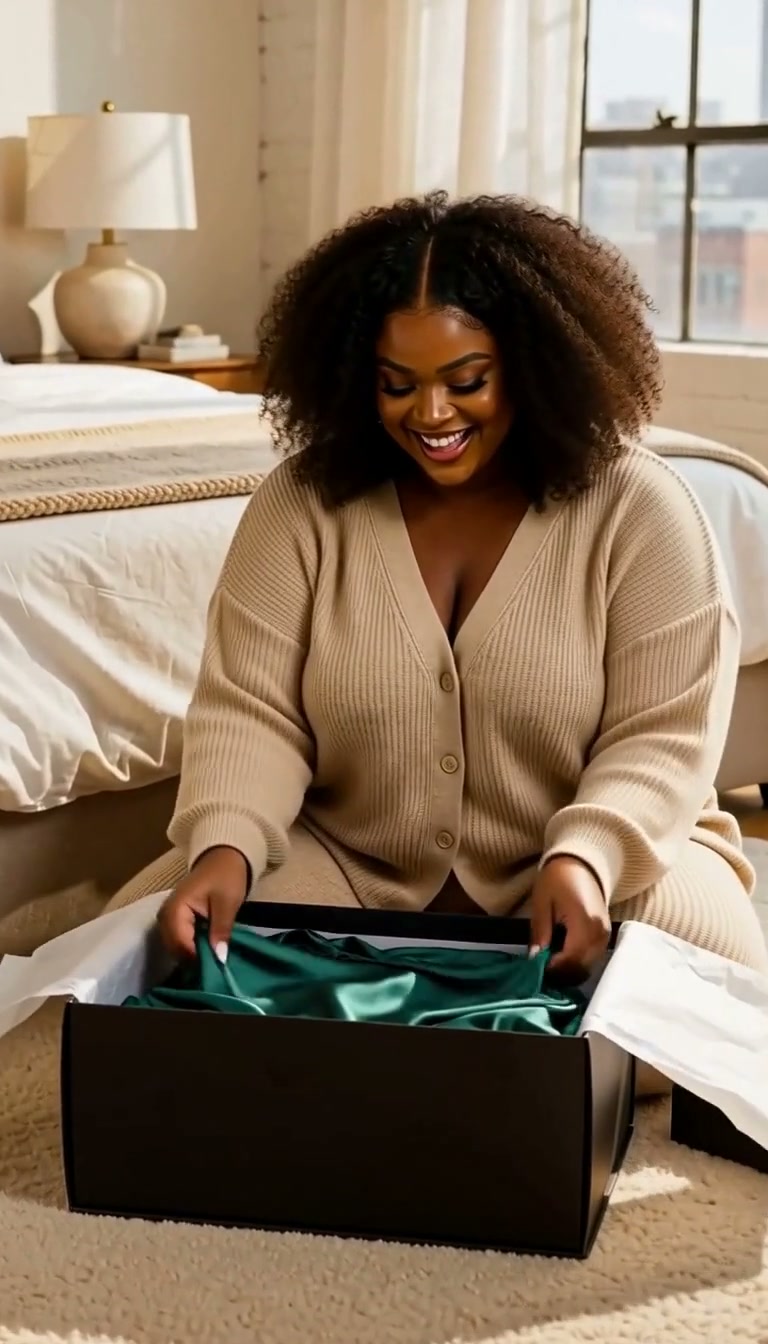
1. Fashion Unbox → Plus-Size Unboxing
Before: 26-year-old Asian woman in cream oversized hoodie.
After: 34-year-old curvy plus-size Black woman with natural curls, unboxing a jewel-emerald satin wrap dress, transition to full-length mirror wearing it with strappy heels. Warm boutique lighting, celebratory color grade.
Why it matters: Plus-size apparel is a $24B+ global market (Statista). Zero AI fashion try-on tools default to plus-size models. Curve brands were forced to write custom prompts to get anything usable. Now it is the primary Wearable Unbox template.
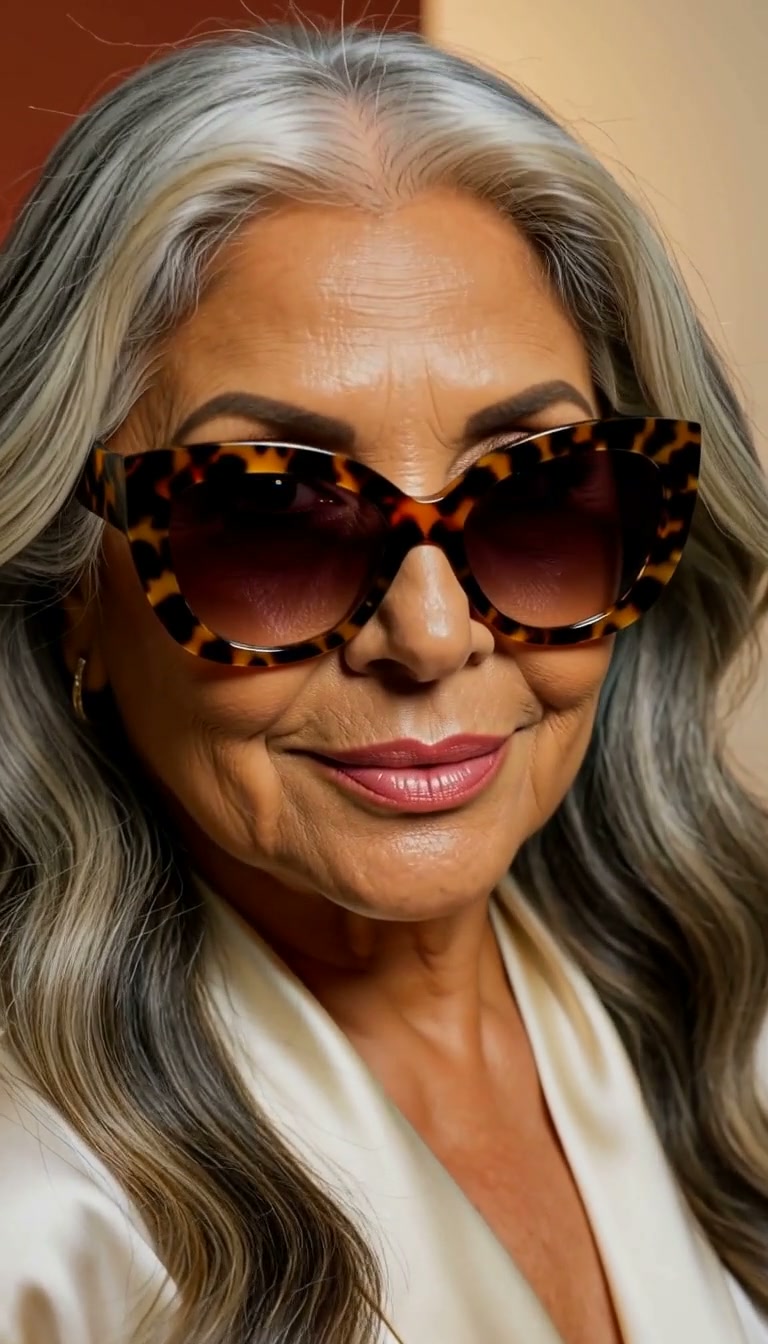
2. Boutique Mirror → Cat-Eye Portrait (also switched to Eyewear)
Before: 29-year-old Latina in silk scarf halter, fitting-room mirror.
After: Striking 52-year-old Latina with silver-streaked wavy hair, oversized tortoiseshell cat-eye sunglasses, warm terracotta backdrop, soft golden key light. Category changed from `apparel` to `eyewear`.
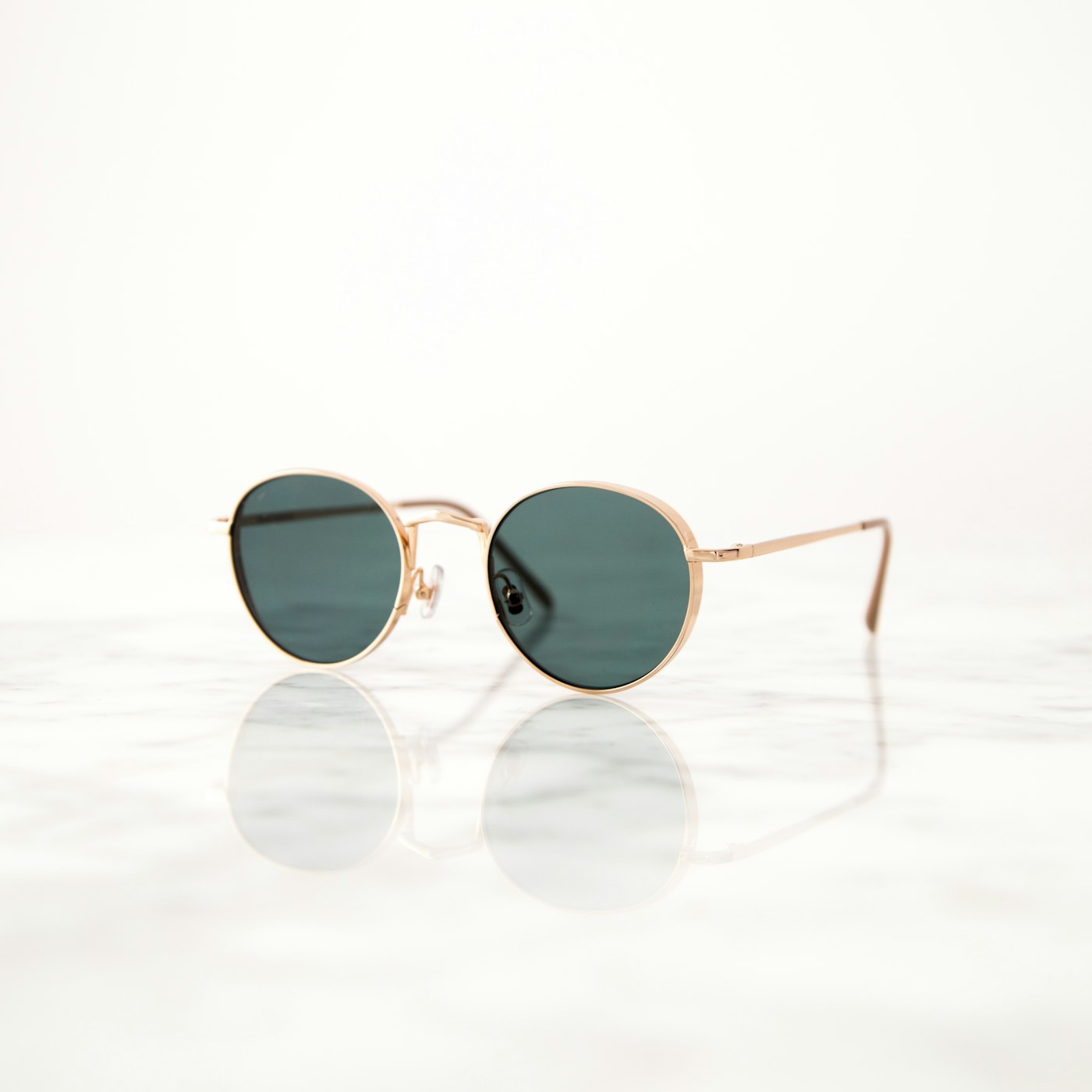
Why it matters: Reading eyewear is dominated by 40+ female shoppers, but AI eyewear demos default to 24-year-old aviator portraits. This template represents the actual dominant customer for cat-eye and oversized frames.
3. City Runway → Heels Golden-Hour Runway (also switched to Footwear)
Before: 28-year-old woman in belted camel trench coat.
After: Low-angle tracking of ivory pointed-toe heels striding on golden-hour Soho sidewalk. Category changed from `apparel` to `footwear`.
Why it matters: Footwear-first sellers had exactly ONE template (Shoes Street) before, and it was a masculine sneaker street shot. Female footwear needed a template. Now the mix has two: sneakers-street and heels-runway.
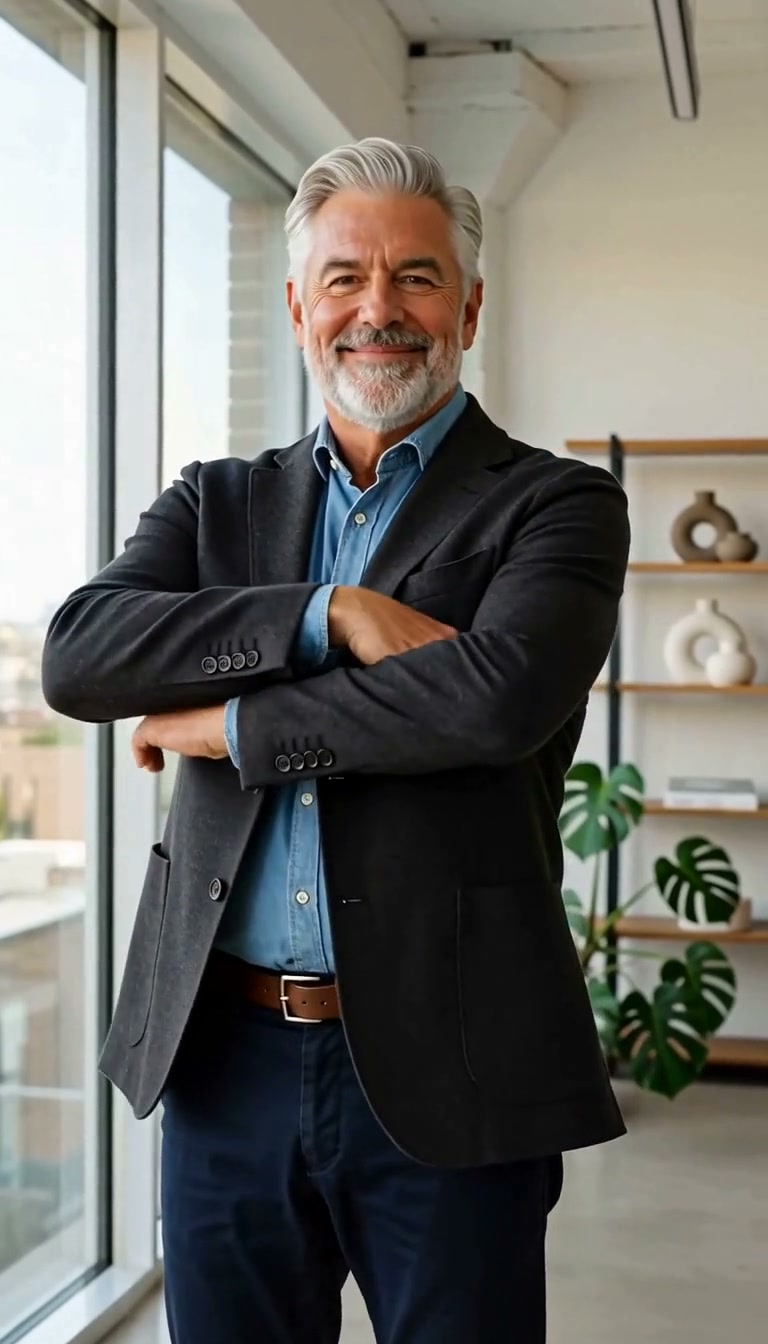
4. Personal Brand → 50s Silver-Haired Founder
Before: 35-year-old female founder in cream silk blouse.
After: Confident 58-year-old silver-haired male founder with trimmed grey beard, fitted charcoal wool blazer over soft chambray shirt. Editorial LinkedIn / thought-leader color grade.
Why it matters: The creator-brand and personal-brand LinkedIn demographic skews older than every AI video tool represents. Mature founders are a real audience for personal-brand video, and now they see themselves in the gallery.
The new category mix
The rebalancing wasn't just recasting — it moved templates across categories:
| Before | After |
|---|---|
| Apparel × 8 | Apparel × 6 |
| Footwear × 1 | Footwear × 2 |
| Eyewear × 1 | Eyewear × 2 |
That matters for sellers who click the Wearable Try-On tab in the Template Gallery. Previously, an eyewear seller would see 9 apparel templates and one relevant one. Now they see 2 relevant + 6 apparel + 2 footwear — a fairer surface for the actual product they sell.
Three of the ten templates also dropped from 10s to 5s — the single-pose portraits (Eyewear Portrait, Cat-Eye Portrait, Founder Portrait) don't benefit from motion, so cost drops from 6 credits to 3.
The commerce case for inclusive casting
This is not diversity theatre. There is real revenue math:
- Plus-size apparel converts 12–20% better with plus-size models on the PDP vs standard-size (Shopify commerce trends).
- Mature (55+) shoppers spend ~2× per capita on apparel vs 25–34 in the US (AARP consumer research), but see ads featuring 20-year-old models — a mismatch that reduces conversion.
- Multi-ethnic casting lifts trust signals in international campaigns; a 2024 McKinsey State of Fashion report noted DTC brands with visually inclusive campaigns saw 8–14% higher first-purchase conversion in EU and North American markets.
None of this is new. What is new is that AI tools can now cast for it at $0.30 per render, instead of $2,000+ per model per shoot.
How to use the diverse templates
Two paths:
Path 1 — Template Modal (fastest)
- Open `/dashboard/new`, scroll to Template Gallery, click Wearable Try-On.
- Pick the template whose casting matches your audience.
- Click the template — Modal opens with demo video, spec sheet, prompt visible, and an upload zone.
- Upload your garment / shoe / eyewear photo.
- Click Generate with my photo — MiniMax H3 Ref2VA locks your SKU to the template's cast model.
Result: 10-second (or 5-second for portraits) Wearable video with your product on the specific demographic the template calls for. Deducted: 6 credits (3 for portraits).
Path 2 — Custom Director Brief
If your audience doesn't match any of the 10 templates:
- Same wizard, but click the Prompt tab in Step 1.
- Write your casting prompt: *"A 45-year-old Middle Eastern woman in athletic wear on a hiking trail at sunrise, natural movement, backlit warm color grade."*
- Continue to Step 2, pick Wearable mode, upload your SKU.
- Generate. Your prompt overrides the template default; MiniMax renders your specific casting.
That option is why every template exposes its full prompt in the "AI structure prompt" panel — you can copy, edit, re-run.
What is still missing
Honesty check — 10 templates cannot cover every demographic. Gaps we are aware of:
- Non-binary and trans casting — templates default to binary gender labels; use a Director Brief for now.
- Disability representation — no template features wheelchair users, prosthetics, or assistive devices; needs custom prompts.
- Ages 65+ — Founder Portrait tops out at 58; older casting requires prompts.
- Kids and family styling — no template features children (deliberate — AI-generated children raise safety concerns).
If your brand serves any of these audiences, use the Prompt tab. Longer term the template gallery will grow.
Comparison to competitor tools
| Tool | Default model age range | Plus-size templates | Mature (40+) templates | Category mix (fashion) |
|---|---|---|---|---|
| AmazVid | 24–58 | Yes (Plus-Size Unbox) | Yes (Cat-Eye, Founder) | 6/2/2 apparel/footwear/eyewear |
| Vmake | 22–32 | Not by default | Rare | Apparel-heavy |
| Kling / MiniMax raw | Prompt-dependent | Requires custom prompts | Requires custom prompts | N/A |
| Creatify | 25–35 | No | Rare | Apparel-heavy |
Next steps
If you sell to underrepresented demographics, the template gallery finally has your customer. If your specific audience is not there yet, use the Prompt tab as a fallback and email us the demographic so we can add it.
Try it: Wearable gallery · Pricing · Prompt-only shortcut · MiniMax H3 Ref2VA · Eyewear try-on · Footwear try-on · Fashion on Amazon 2026.
Team & job landings
Solutions by team · use cases by job — open the hub that matches how you ship.
Frequently asked questions
Why did AmazVid rebuild the Wearable gallery for inclusivity?
The original 10 Wearable templates skewed 8/10 toward apparel worn by white or East-Asian women aged 20–29. That reflects industry AI training data more than shopper reality. Curve, mature, plus-size, athletic, and multi-ethnic customers spend heavily on fashion — Statista estimates plus-size apparel alone at $24B+ globally — and were seeing a gallery that did not represent them.
Which templates changed?
Four templates were re-cast: Fashion Unbox → plus-size Black woman unboxing an emerald wrap dress. Boutique Mirror → 52-year-old Latina in cat-eye sunglasses (also switched from apparel to eyewear category). City Runway → low-angle heels tracking (switched from apparel to footwear). Personal Brand → 58-year-old silver-haired male founder (switched from young female to mature male). The other six templates retained their prompts but the overall mix rebalanced.
What is the new category mix?
Before: 8 apparel, 1 footwear, 1 eyewear. After: 6 apparel, 2 footwear (Shoes Street + Heels Runway), 2 eyewear (Aviator Portrait + Cat-Eye Portrait). Sellers of shoes and glasses no longer have a single template to represent them.
Does the model represent my actual customer?
The template is a demo — MiniMax H3 Ref2VA locks YOUR SKU to a generated model that matches the template's casting prompt. If your customer skews 40+ female and you pick the Personal Brand template, the generated model will match that demographic. If none of the 10 templates match, use the Prompt tab in the wizard to describe your target customer directly, then upload your SKU.
Is this just diversity theatre or does it convert better?
The commerce research is consistent: seeing "someone like me" in an ad lifts click-through in fashion by 10–25% for underrepresented segments (McKinsey, Shopify commerce trends). Plus-size shoppers convert better on catalog pages with plus-size models, mature shoppers on mature-model ads, and so on. This is a conversion tool, not a PR gesture.
Can I override the model demographics on a template?
Yes — every Wearable template exposes its full prompt in the Template Modal ("AI structure prompt" panel). You can copy that prompt, edit the age / ethnicity / body clause, and pass it as a Director Brief in the wizard. Or write your own prompt from scratch in the Prompt tab.
Does the diverse casting affect Wearable credit cost?
No. All Wearable renders bill at 6 credits (7 if you choose 2K). Three of the ten Wearable templates were also cut from 10s to 5s to save credits on single-pose portraits — Eyewear Portrait, Cat-Eye Portrait, and Founder Portrait. Those bill at 3 credits each.
How do I request a template for a demographic I do not see?
Two options: (1) Use the wizard's Prompt tab to write a Director Brief describing your target casting, then upload your SKU. (2) Email hank@amazvid.com with the demographic + a couple of shot references. We add templates that match real seller demand.
Related guides
- AmazVid homepage — AI product video generator
- AI Wearable Try-On Product Video
- Wearable vs Product vs Ad Creative
- AI Sunglasses Eyewear Try-On Video
- UGC-Style Try-On Without Creators
- Temu TikTok Fashion Try-On Video
- AI Jewelry Try-On Video
- AI Handbag Product Video
- AI Product Video Cost Savings in 2026
- AmazVid use cases — job playbooks
- AmazVid pricing
Sources
Ready to generate product video?
Paste a product link, lock the first frame, export silent 1080p — 2 free credits. No prompts required.