Blog · Seedance 2.5 MiniMax H3 product video
Seedance 2.5 vs MiniMax H3 for Ecommerce Product Video
Seedance 2.5 vs MiniMax H3 for ecommerce product AI video: fidelity, first-frame lock, silent exports, and when AmazVid’s product workflow beats raw model demos.
Updated 2026-08-08 · 10 min read

Sellers keep searching Seedance 2.5 and MiniMax H3 because those names dominate creator chatter. For ecommerce, the useful question is narrower: which stack — wrapped in a real product workflow — produces listing-true ecommerce product AI video without a studio?
This comparison is written for Amazon FBA, Shopify DTC, and agency catalogue teams. We score what matters on a PDP and in paid social, then show how AmazVid packages modern motion models into an operator-safe pipeline.
How to score Seedance 2.5 and MiniMax H3 for product work
Ignore cinematic trailers. Score five pass/fail checks on your own SKUs:
- First-frame fidelity — does frame one match the listing still?
- Logo and print stability — does type stay readable at phone size?
- Material honesty — metal, glass, fabric, and matte plastics should not morph
- Silent export — can you ship without burned-in captions or watermarks?
- Ratio control — 16:9, 1:1, 9:16 without re-prompting from scratch
Both Seedance 2.5 and MiniMax H3 can look impressive on abstract demos. Ecommerce winners are the ones that pass these five checks on *your* packshots.
Seedance 2.5 — where it shines for sellers
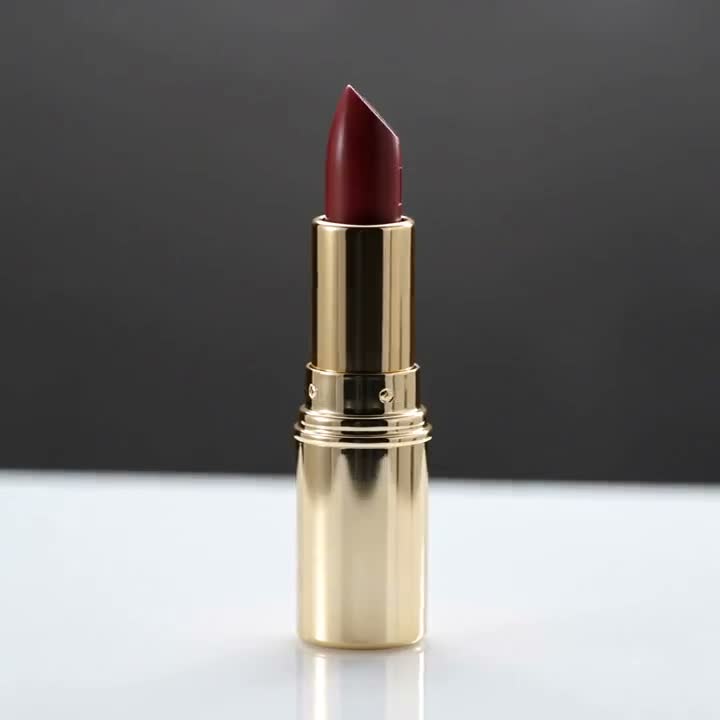
Seedance 2.5 is frequently chosen for image-to-video continuity: soft orbits, lighting push-ins, and catalogue-grade motion when the input still is sharp. Beauty, drinkware, soft goods, and accessories tend to benefit because the camera can move while the object silhouette stays anchored.
Strengths sellers notice:
- Stable motion from a locked product photo
- Useful for Product shot style clips on Amazon galleries
- Comfortable pairing with silent 1080p PDP uploads
Watch-outs:
- Garbage-in stills (compressed marketplace thumbnails) create mushy labels
- Over-prompting “cinematic chaos” fights ecommerce truth
- You still need a workflow for URL import, credits, and retries
AmazVid uses Seedance-class generation inside Product shot and Ad creative modes so sellers are not living in a raw playground. See the broader playbook in ecommerce product AI video.
MiniMax H3 — how sellers should evaluate it
MiniMax H3 shows up in the same search cluster because teams compare motion quality and “wow” camera paths. Treat it as a peer class of model: strong motion candidates still fail if packaging drifts.
When MiniMax H3-class output helps:
- Short social hooks where motion energy matters
- Ad creative tests that need a punchier crop than a static packshot
- Side-by-side creative testing against Seedance 2.5 outputs on the same still
When it does not help:
- ASIN pages where Brand Registry sensitivity is high and logos must stay crisp
- Catalogue batches if each clip needs manual prompt surgery
- Any export that forces watermarks onto listing uploads
The model name is not a strategy. The strategy is identical SKU still → controlled motion → silent multi-ratio export → QA. That is also how we frame best AI tool for Amazon product videos.
Side-by-side decision matrix
| Criterion | Prefer Seedance 2.5 class | Prefer MiniMax H3 class | Prefer AmazVid workflow |
|---|---|---|---|
| Soft PDP orbit | Often | Sometimes | Always wrap the model |
| Aggressive ad energy | Sometimes | Often | Ad creative mode |
| URL → video ops | N/A alone | N/A alone | Built-in |
| Silent commercial MP4 | Depends on wrapper | Depends on wrapper | Default |
| Batch catalogue | Manual | Manual | Product shot batching |
Raw APIs and demos omit the boring parts sellers pay for: identity, billing, retries, and locale UX. AmazVid exists so Seedance 2.5 / MiniMax H3 class quality lands inside those boring parts.
Practical test protocol (one afternoon)
- Pick five SKUs: beauty, hard goods, fabric, glossy packaging, small jewelry.
- Use the same hero still for every run.
- Generate a Product shot style clip with Seedance 2.5 class settings.
- Generate a comparable clip with MiniMax H3 class settings if available in your stack.
- Blind-review on a phone at 50% brightness — can you read the label?
- Upload only the silent winners.
Document results in a shared sheet: SKU, model, pass/fail on logo, colour, and weird morphs. Teams that skip the sheet argue about aesthetics forever.
Prompting that protects ecommerce truth
Keep prompts boring on purpose:
- “Slow orbit, softbox lighting, product locked to first frame”
- “No new logos, no text changes, no extra accessories”
- Avoid “surreal,” “morph,” “explode,” “fantasy city” for listing shots
Save aggressive language for Ad creative experiments that never touch the main image gallery. More on still → motion in convert product photos to video.
Where AmazVid sits in the Seedance / MiniMax conversation
AmazVid is not a research paper. It is an ecommerce product video studio:
- Paste Amazon / Shopify / Etsy / Temu links or upload photos
- First-frame lock for packaging fidelity
- Product shot vs Ad creative
- Silent 1080p downloads for listings
- Credits and retries designed for operators
We ship Seedance-class motion for the look sellers expect when they type Seedance 2.5, and we keep evaluating MiniMax H3-class alternatives on the fidelity metrics above. The public brand promise stays the same: your photo stays the product.
SEO note for sellers researching models
If you landed here from “Seedance 2.5,” “MiniMax H3,” or “ecommerce product AI video,” you are already in the right funnel. Next steps:
- Read the ecommerce product AI video operating guide
- Check Amazon listing video requirements before upload
- Generate three silent clips on AmazVid and QA on mobile
Model hype without upload QA is how watermarked drafts reach Seller Central.
Bottom line
Seedance 2.5 and MiniMax H3 are useful search labels for motion quality. Ecommerce winners wrap those models in first-frame lock, silent exports, and channel ratios. Run a five-SKU blind test, keep the sheet, and ship only listing-true clips.
Open AmazVid — paste a product link and compare the result to your current stills gallery.
Frequently asked questions
Is Seedance 2.5 better than MiniMax H3 for Amazon videos?
It depends on the SKU. Score both on logo stability and first-frame fidelity. AmazVid wraps Seedance-class generation in an ecommerce workflow so you can ship silent listing clips without living in a raw demo UI.
Can I use these models for Shopify and TikTok Shop too?
Yes — export the ratio each channel needs (1:1, 9:16, 16:9). Keep PDP versions silent; add audio later for sound-on social.
Do I need to prompt differently for MiniMax H3?
Keep ecommerce prompts conservative either way: lock the product, forbid new logos, and avoid surreal instructions on listing shots.
Related guides
Sources
Ready to generate product video?
Back to AmazVid — paste a product link, lock the first frame, export silent 1080p.